

Members and project access
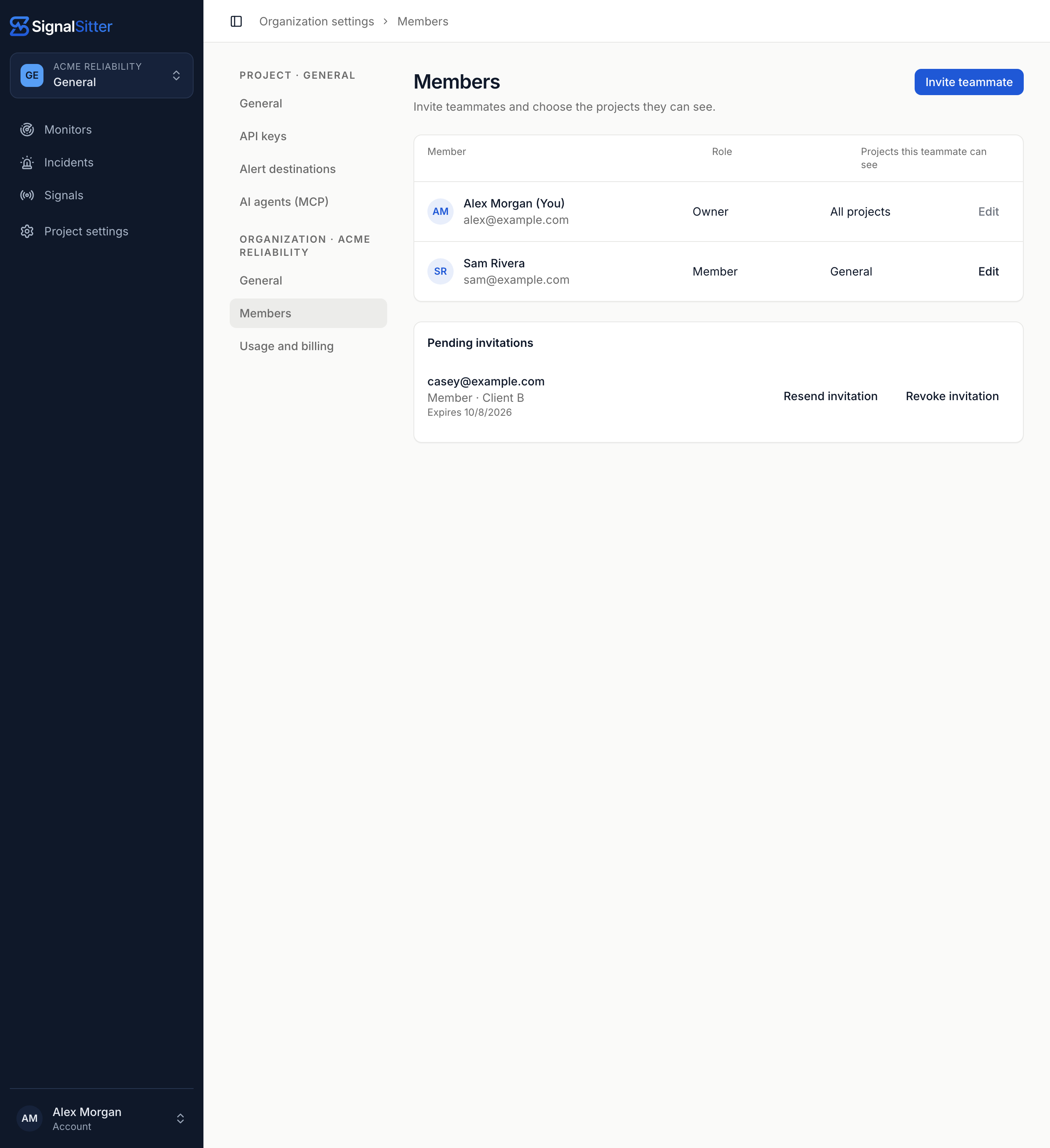
Open Organization settings → Members from the project switcher. As an owner, press Invite teammate to open the dialog, then invite a teammate by email, choose Owner or Member, and pick their projects. Owners see every project. Members see only the projects assigned to them.
Invitations expire after seven days. Resend an invitation to send a fresh link, or revoke it to cancel it before it’s accepted. To accept, open the link while signed in with the invited email address. If another account is signed in, switch accounts first.
Change a teammate’s role or projects from their member card. Members can’t change their own role or add themselves to a project. You can’t remove or demote the last owner. Add another owner first.
Removing someone’s project access takes effect on their next request. A member with no projects stays in the organization and sees No projects assigned, with a prompt to ask an owner for access. Removing someone from the organization ends all their access to it.
Members who were in the organization before project access existed keep access to every project that existed then. Whoever creates a project becomes its member. API keys keep their single-project scope.
 SignalSitter documentation