

Plan, usage and billing
Usage shows what you’ve used and what your plan includes. Settings > Billing is where you upgrade, manage payment and see what cancelling would change.
Open Usage from the sidebar.
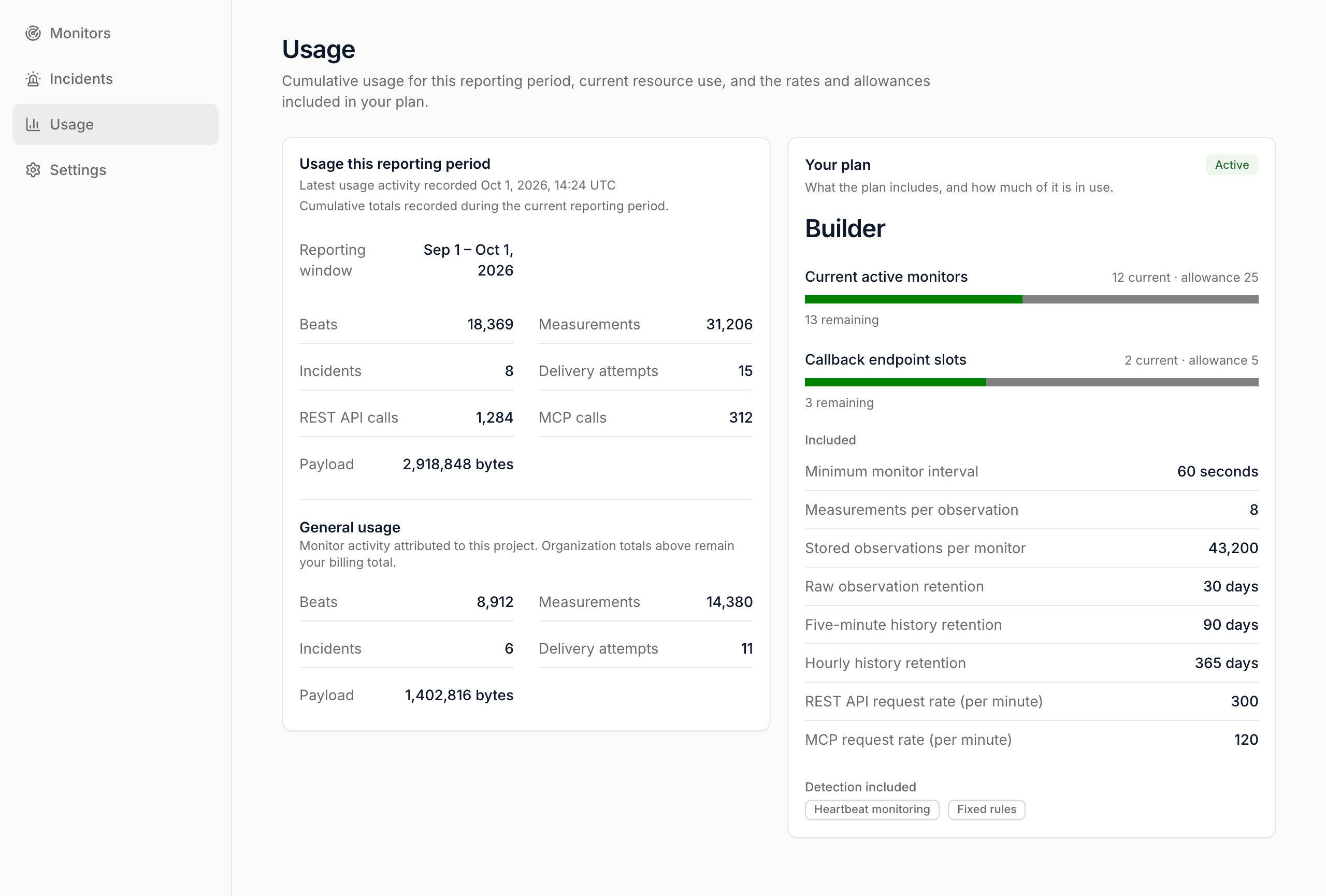
- Usage this reporting period: beats, measurements, incidents, delivery attempts, REST API and MCP calls, and payload.
- Your plan: each limit and how much of it you use, such as Current active monitors, Minimum monitor interval, Measurements per observation, retention and request rates.
- A section for the selected project. Your organization total is what you’re billed on.
If the figures can’t be loaded, press Refresh usage to try again.
If you kept going over a request limit after a warning, ingest is paused and Usage shows Ingest paused. Nothing is deleted. Lower your request rate, then press Resume ingest.
Upgrade
Section titled “Upgrade”- Go to Settings > Billing.
- Under Current plan, press Choose Builder, Choose Smart or Choose Scale.
- Pay on the payment provider’s page.
If creating a monitor would go past your plan, the form shows See plans and upgrade, which opens Billing. Compare plans in Plans and limits.
Manage billing
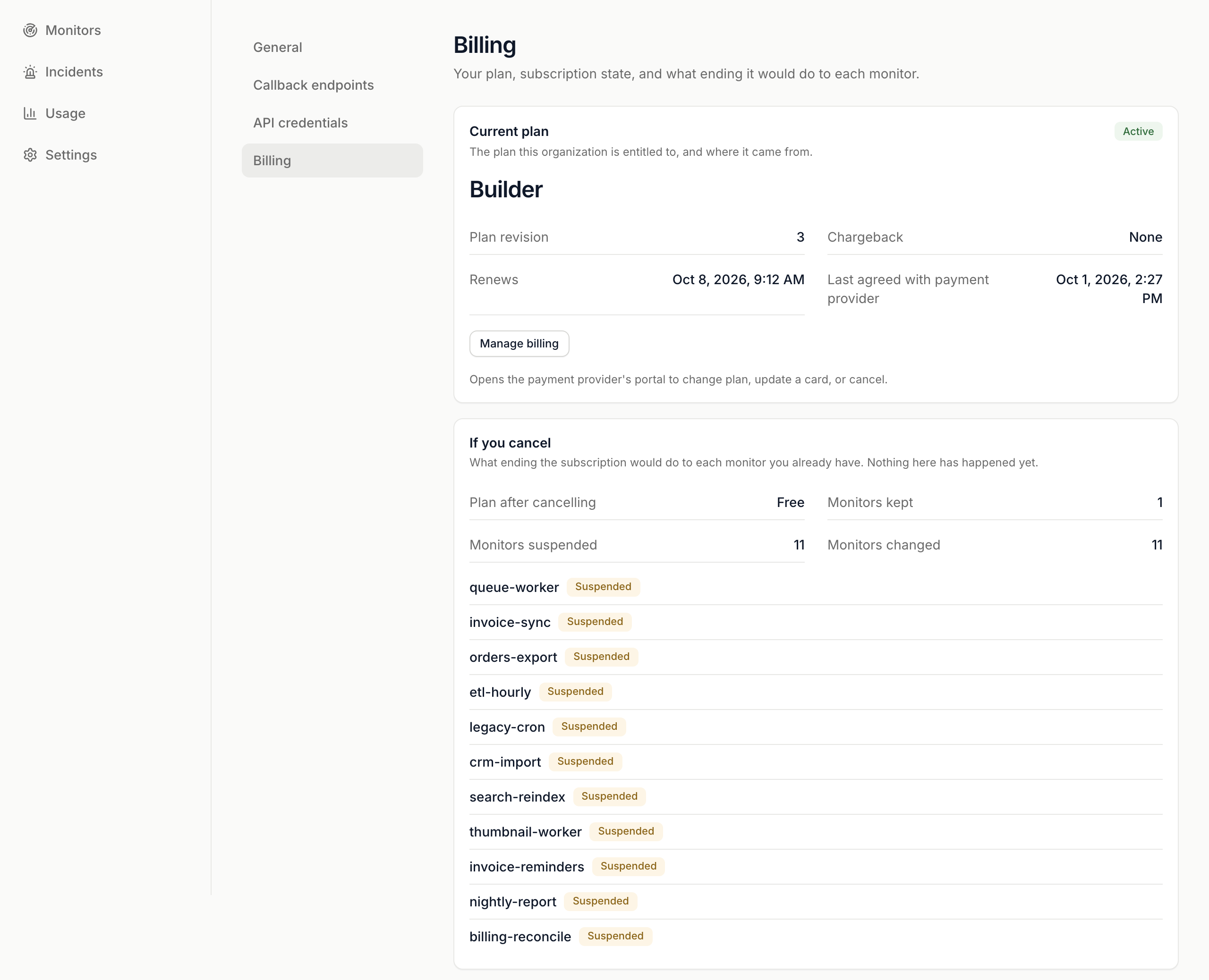
Section titled “Manage billing”Press Manage billing to open the payment provider’s portal. Change plan, update your card or cancel there. It’s available once you have a subscription.
If a payment fails, the status reads Payment failed and your plan keeps running until the date shown while the provider retries.
Before you cancel
Section titled “Before you cancel”If you cancel shows what ending your subscription would do to each monitor you have now. Nothing has happened yet.
- Plan after cancelling, Monitors kept, Monitors suspended and Monitors changed.
- For each affected monitor: Suspended, Slower, Fewer measurements or Heartbeat only.
Plan change history lists every monitor a plan change suspended or released.
 SignalSitter documentation