

Incidents
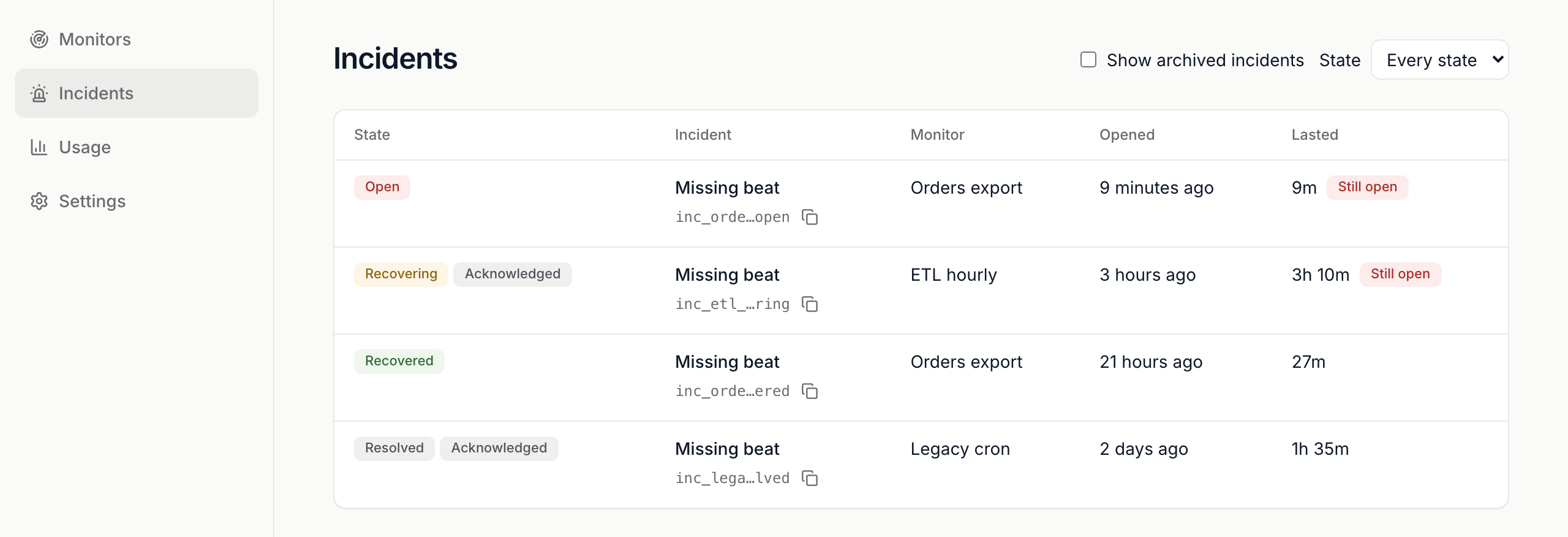
An incident opens when a monitor misses a beat or breaks a rule. Incidents lists them across every monitor, newest first. Each monitor’s Incidents tab shows its own.
The incidents list
Section titled “The incidents list”- Filter with State: Every state, Open, Recovering, Recovered or Resolved.
- Tick Show archived incidents to include incidents of archived monitors.
- Still open marks an incident that hasn’t closed. Acknowledged means someone owns it.
| State | What it means |
|---|---|
| Open | The problem is happening. |
| Recovering | Good beats are back. SignalSitter is confirming recovery. |
| Recovered | Recovery was confirmed and the incident closed. |
| Resolved | Someone closed it by hand. |
An incident’s page
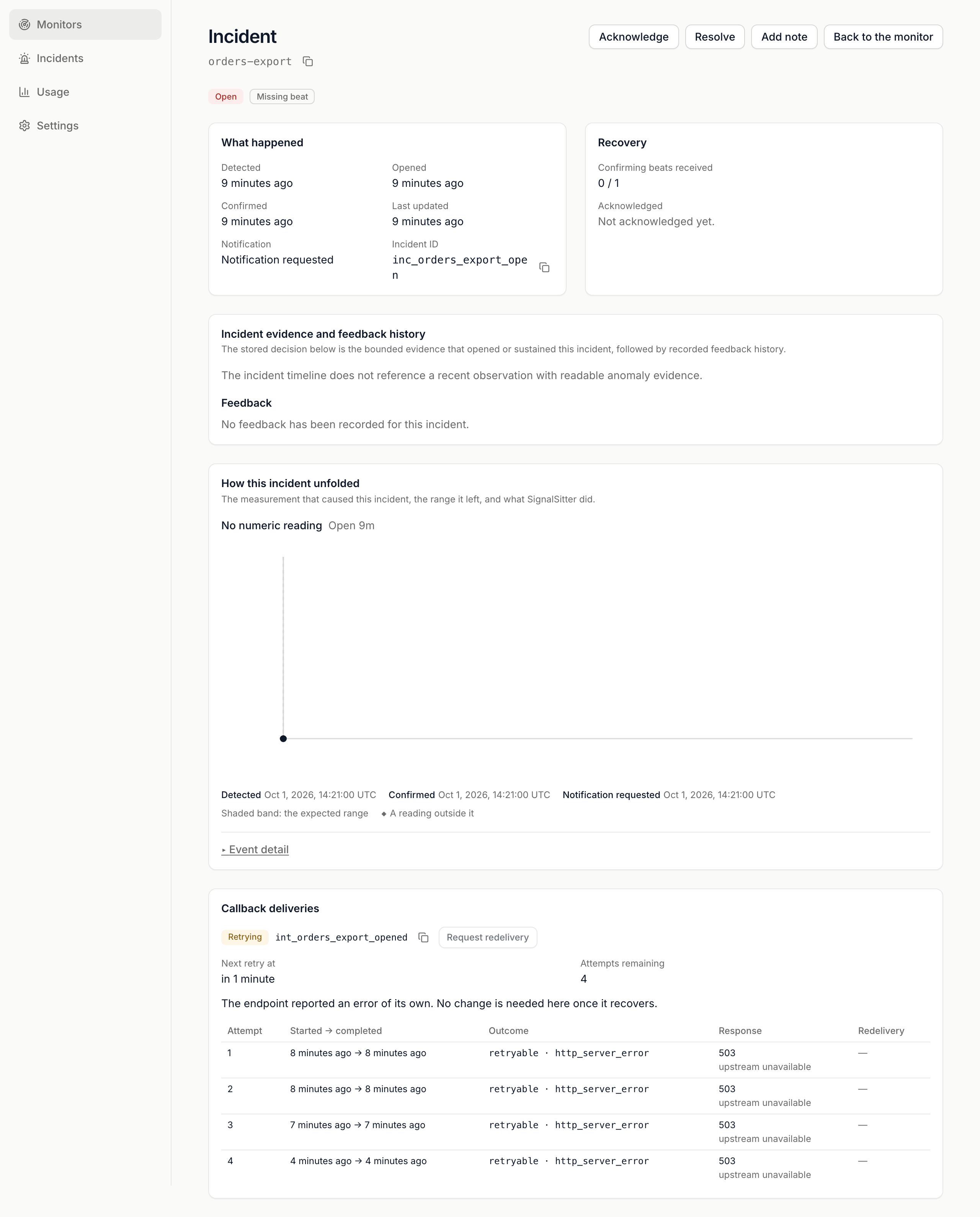
Section titled “An incident’s page”Open an incident to see:
- What happened: when it was detected, opened, confirmed and closed, plus the Incident ID.
- Recovery: confirming beats received so far, and who acknowledged it.
- Incident evidence and feedback history: for a rule, the reading that broke it.
- How this incident unfolded: a chart of the measurement with the incident’s events. Open Event detail to list every event in order.
- Callback deliveries: every alert sent for this incident.
Acknowledge, add a note, resolve
Section titled “Acknowledge, add a note, resolve”The buttons sit at the top of the incident. Each opens a short confirmation.
- Acknowledge: says someone owns the response. The state doesn’t change and detection continues. Offered while the incident is open or recovering and nobody has acknowledged it.
- Add note: adds a line to the incident’s events for anyone reading later.
- Resolve: closes the incident. Works on a recovered incident too.
Notes are 1 to 1024 characters on one line. A note is required for Add note and optional for the other two.
Alert deliveries
Section titled “Alert deliveries”Callback deliveries shows each alert sent to your callback endpoint and its state: Queued, In flight, Retrying, Delivered, Failed, Dead-lettered or Outcome unknown. Each lists its attempts, with the response your endpoint gave. A retrying delivery shows Next retry at and Attempts remaining.
To send one again:
- Press Request redelivery on the delivery.
- Press Schedule the redelivery.
One more signed attempt is queued. Your receiver should ignore an event ID it has already handled.
 SignalSitter documentation