

Credentials
API credentials let your code and agents use SignalSitter. Manage them in Settings > API credentials. A credential belongs to the project that’s selected when you issue it.
Issue a credential
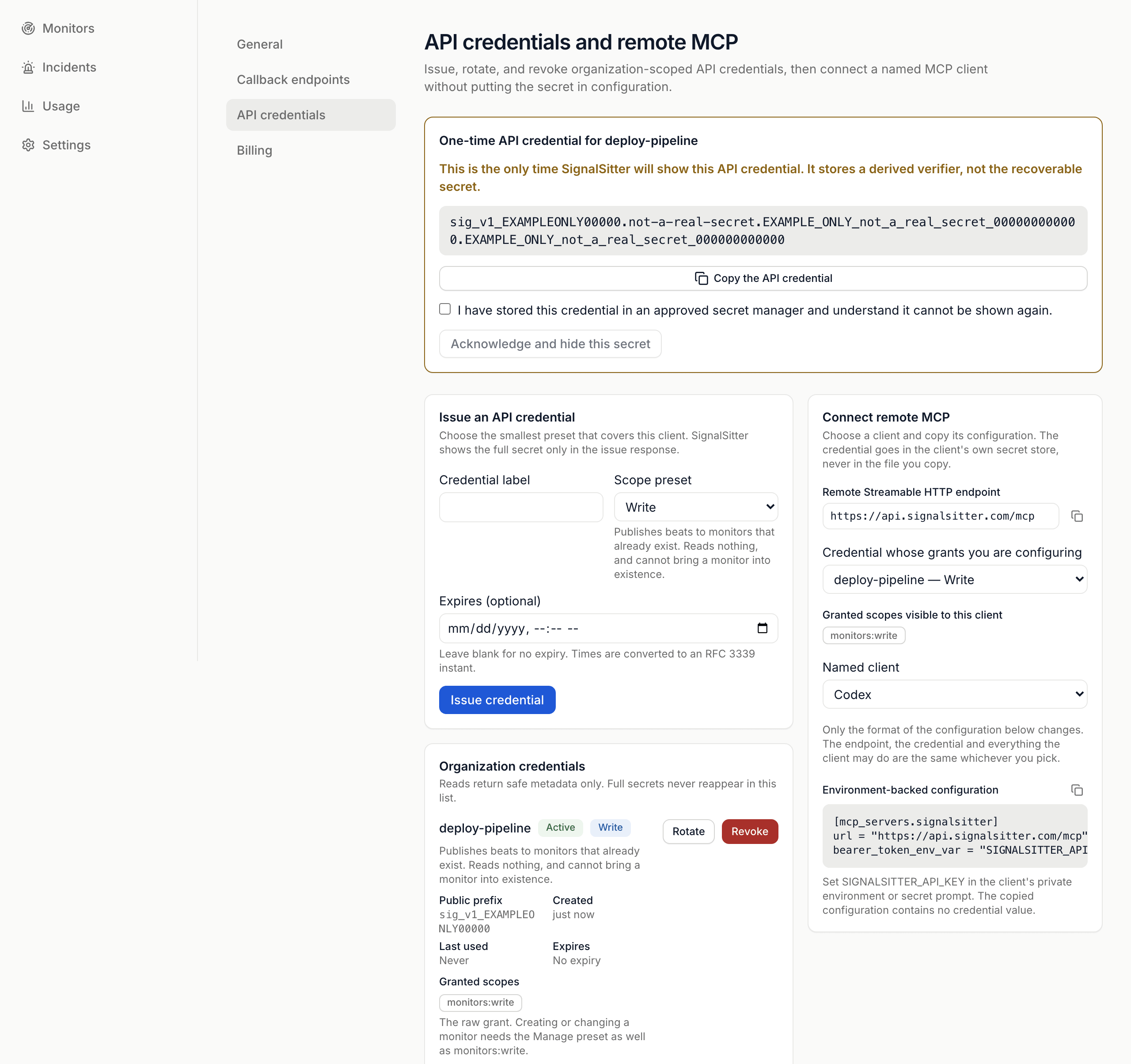
Section titled “Issue a credential”- Enter a Credential label, so you know what uses it.
- Choose a Scope preset (below).
- Optional: set Expires (optional). Leave it blank for no expiry.
- Press Issue credential.
- Press Copy the API credential and store it in your secret manager. It’s shown once.
- Tick the box confirming you’ve stored it, then press Acknowledge and hide this secret.
Presets
Section titled “Presets”Pick the smallest preset that covers the job.
| Preset | Can |
|---|---|
| Read | Read monitors, incidents, callbacks, observations and usage. Can’t publish or change anything. |
| Write | Publish beats to monitors that already exist. Reads nothing. |
| Read and write | Read everything and publish beats. Can’t create, edit, pause or delete a monitor. |
| Manage | Everything above, plus create or change monitors, projects, incidents, callbacks and credentials. |
Creating a monitor gives you its own publish credential, so you don’t need one here for a single job.
The credential list
Section titled “The credential list”Organization credentials shows each credential’s Public prefix, Created, Last used, Expires and Granted scopes. The full secret never appears again.
Rotate a credential
Section titled “Rotate a credential”- Press Rotate, then Rotate this credential.
- Copy the new secret. It’s shown once.
- Update your clients. The old secret keeps working for a short overlap.
Revoke a credential
Section titled “Revoke a credential”Press Revoke, then Revoke this credential. It stops working at once.
Connect an agent
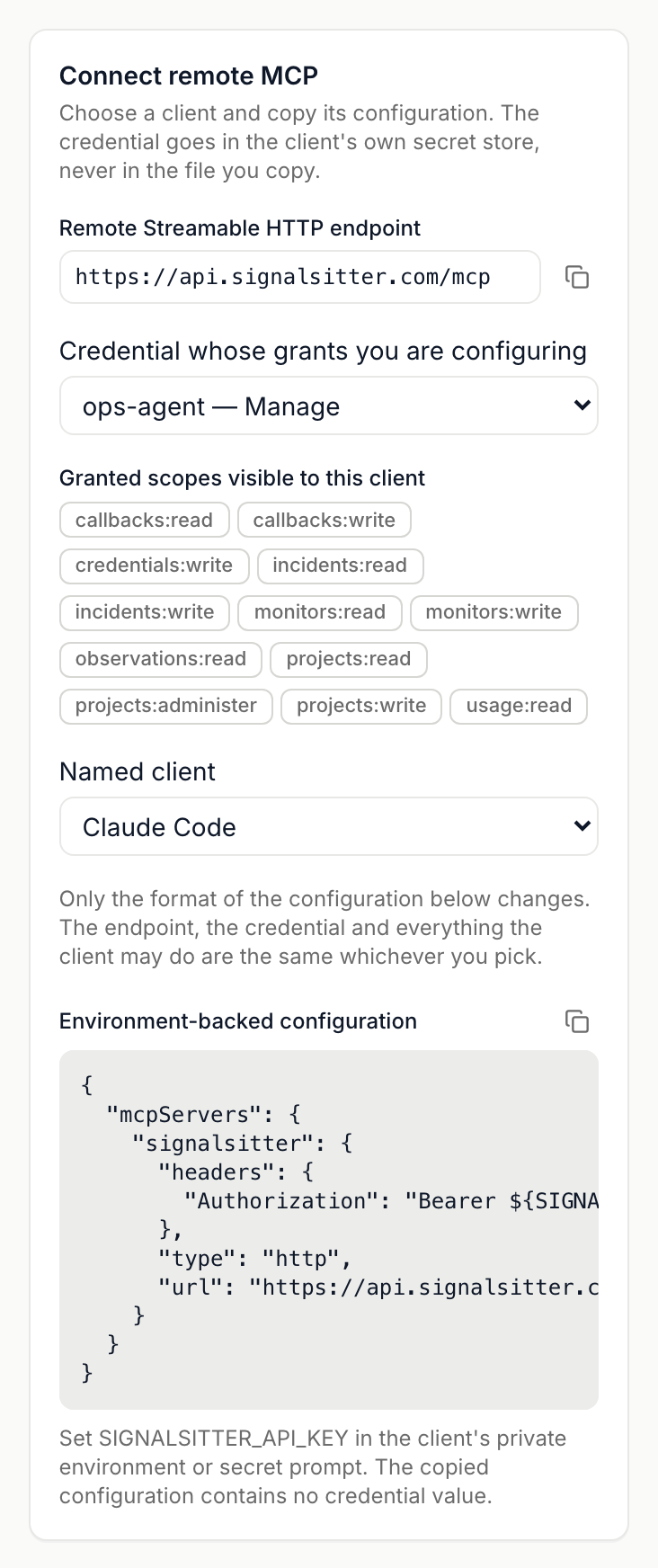
Section titled “Connect an agent”Use Connect remote MCP to set up an MCP client without pasting the secret into a file.
- Copy the Remote Streamable HTTP endpoint with the copy button beside it.
- Under Credential whose grants you are configuring, choose an active credential.
- Pick a Named client: Codex, Claude Code or VS Code.
- Copy the Environment-backed configuration with its copy button and add it to your client.
- Set
SIGNALSITTER_API_KEYto the credential in the client’s private environment or secret prompt. The copied configuration contains no secret.
See MCP for what an agent can do once connected.
 SignalSitter documentation