

Get started in the dashboard
Create a monitor, copy its credential and send your first beat from the dashboard. No API calls needed.
Sign in
Section titled “Sign in”- Open app.signalsitter.com and press Sign in.
- Sign in, or create an account from the same window.
Pick your organization
Section titled “Pick your organization”Everything in SignalSitter belongs to an organization. Personal accounts aren’t available.
- If you belong to several, press Continue with and the organization’s name.
- Switch or create organizations from the organization menu in the header.
Projects
Section titled “Projects”Every organization starts with one project, General. Projects keep monitors and credentials apart, for example one per client.
- Create one under Settings > General > Projects: enter a Project name and press Create project.
- With two or more active projects, a Project picker appears in the header. The monitors, incidents and credentials you see belong to the selected project.
Create your first monitor
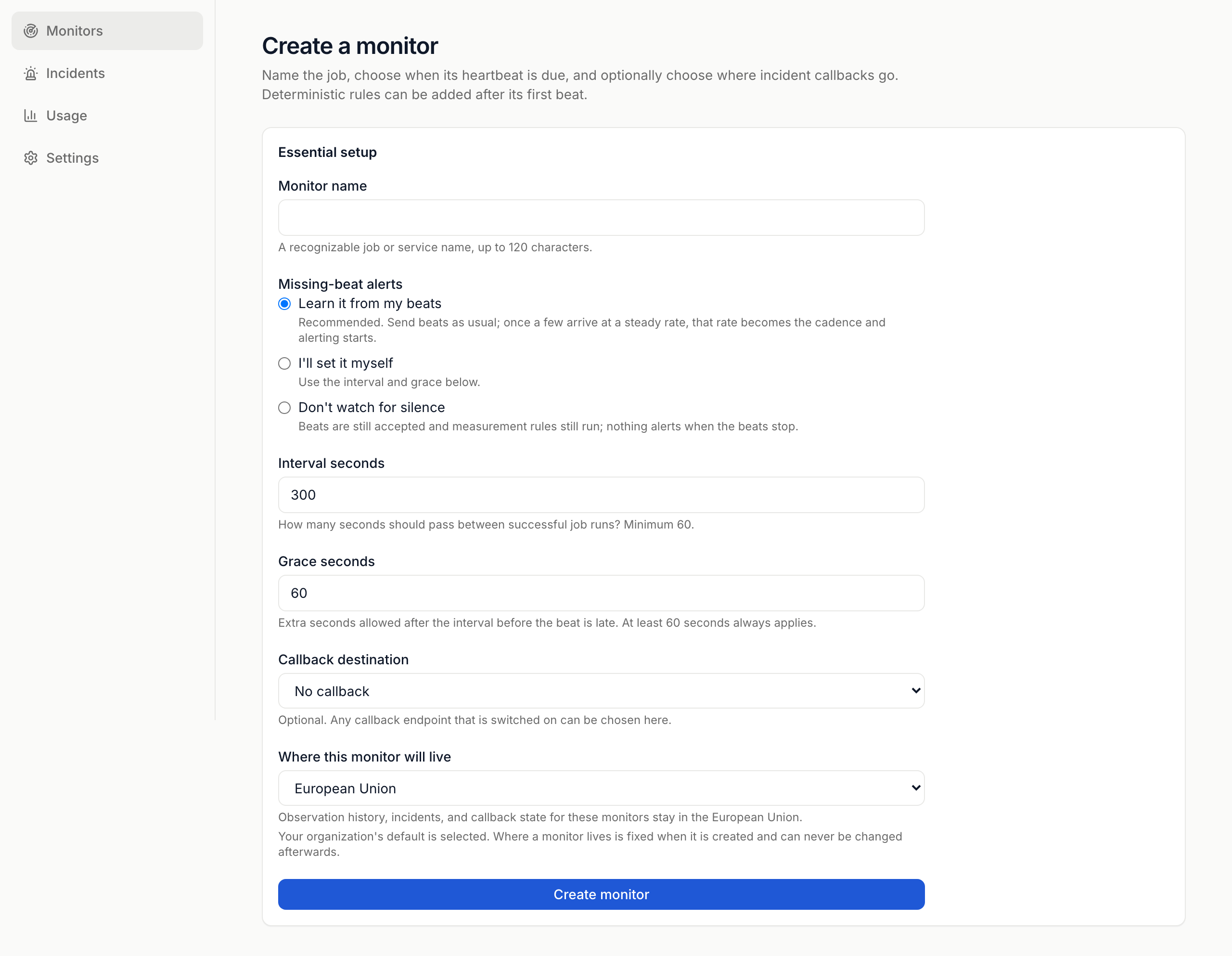
Section titled “Create your first monitor”- Go to Monitors and press Create monitor.
- Enter a Monitor name, up to 120 characters.
- Under Missing-beat alerts, pick one:
- Learn it from my beats: send beats as usual. Once a few arrive at a steady rate, that rate becomes the cadence and alerting starts.
- I’ll set it myself: enter Interval seconds (60 or more) and Grace seconds.
- Don’t watch for silence: beats and rules still run. Nothing alerts when the beats stop.
- Optional: choose a Callback destination. See Alerts.
- Check Where this monitor will live. You can’t change it later.
- Press Create monitor.
Send the first beat
Section titled “Send the first beat”- Copy the One-time publish credential. It’s shown once. Put it in your
service’s secret manager as
SIGNALSITTER_PUBLISH_CREDENTIAL. - Press I have stored it, hide it permanently.
- Under Send the first live beat, pick curl, JavaScript, Python, n8n, Make or Agent instruction, then press Copy this example.
- Run it from the system that does the job.
The page waits for the beat. When it lands you’ll see Monitor is live. Press Open monitor.
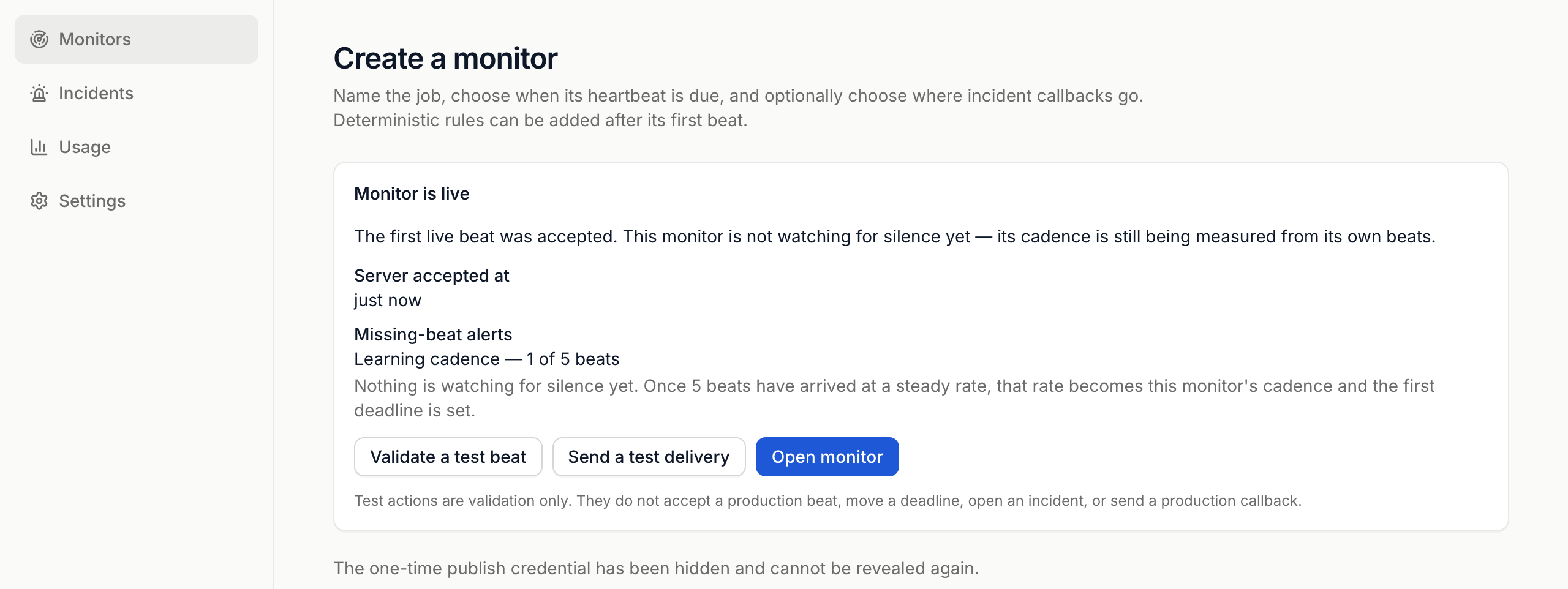
- Validate a test beat checks your setup without recording a beat or opening an incident.
- The page stops checking after five minutes. Press Check again and resume automatic checks to pick up again.
- Monitors: statuses, history and settings.
- Rules: alert when a number crosses a limit.
- Publishing heartbeats: every header and limit.
 SignalSitter documentation